Api
Integrate Alviss AI into your systems using our comprehensive API. Learn about authentication with Bearer tokens, managing access tokens via your account, creating new tokens with expiration dates, and revoking them for enhanced security.
To integrate Alviss AI into your existing systems, we provide a comprehensive API. The full API documentation is available at here.
To access the API documentation, you must first sign in to the Alviss AI platform at https://app.alviss.io.
Authentication
All API requests require authentication using an access token. For details on creating an access token, refer to the Create Access Token section below.
Once you have your access token, include it in the Authorization header of your requests as a Bearer token. Here's an example using curl (replace YOUR-TOKEN with your actual token):
curl --request GET \
  --url "https://api.alviss.io/v1/team/teams" \
  --header "Authorization: Bearer YOUR-TOKEN" \
  --header "Accept: application/json"
Managing Access Tokens
You can manage your access tokens by navigating to https://app.alviss.io/-/user#access-tokens. Alternatively, click on your profile picture in the top-right corner of the Alviss AI platform, select Your Account from the menu, and then go to the Access Tokens tab.
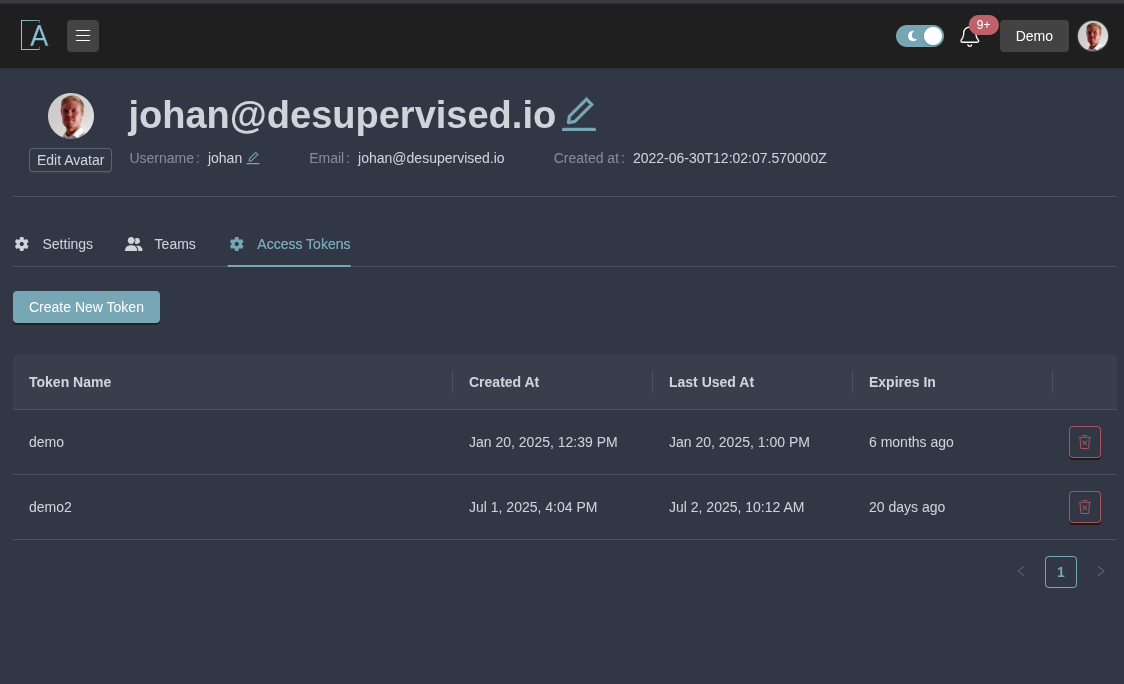
Create Access Token
-
Click the Create New Token button.
-
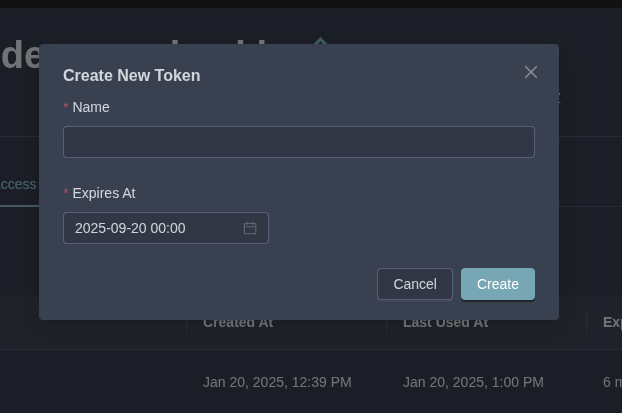
In the modal that appears, fill in the following fields:
- Name: A descriptive name for your token (e.g., "Integration Token").
- Expires At: The expiration date and time for the token. For security, set an expiration that aligns with your needs—we recommend limiting it to when your task is complete. Tokens can expire up to 365 days from creation.
-
Submit the form. Your new access token will be displayed only once—copy and store it securely immediately, as it will not be visible again after closing the modal.
Revoke Access Token
To revoke a token, locate it in the list of access tokens and click the Revoke button next to it. This immediately invalidates the token, preventing further use.
Activities
Dive into the Activities dashboard in Alviss AI, your essential tool for visualizing and analyzing raw data from active datasets. Track metrics like sales, investments, and trends through dynamic overviews, graphs, and visuals. Learn key features, best practices for data validation, filtering, exploratory analysis, and team collaboration to identify patterns and ensure reliable insights.
Correlation
Measure pairwise correlations between variables using Pearson, Spearman, and Kendall methods.