Teams
Collaborate in Alviss AI with team-based workflows for shared access to resources like compute, storage, and datasets. Administer members via invites/removals, exit or delete teams, and integrate via API for efficient model development and data reliability.
Alviss AI facilitates collaborative machine learning workflows by organizing all activities around team entities. This structure ensures shared access to resources, enabling efficient teamwork in model development and deployment.
Team Structure
- Single-User Teams: Individual users operate within a self-contained team, granting full access to platform features equivalent to those in larger groups.
- Asset Ownership: Resources including compute, storage, and datasets are team-owned, not user-specific, allowing universal access among members.
- Collaboration Model: Teams support joint project work, insight sharing, and collective contributions to machine learning pipelines.
Resource Management
Compute and Storage
- Shared Compute: Teams allocate processing resources dynamically based on workload demands, promoting efficient utilization.
- Centralized Storage: All data and artifacts reside in team-level storage, providing seamless access and reducing data silos.
Data Handling
- Access Controls: Team members have read/write permissions on all team data, streamlining collaborative analysis and modeling.
- Consistency Assurance: Central storage eliminates version conflicts and duplicate data, maintaining data integrity.
Subscriptions
- Team-Level Billing: Platform subscriptions are applied at the team scope, with features and quotas shared across all members rather than per individual.
Advantages
- Improved Teamwork: Enables real-time collaboration on models, experiments, and deployments.
- Efficiency Gains: Optimizes resource use by avoiding redundancy in compute and storage.
- Data Reliability: Ensures uniform access to current data, enhancing model accuracy and decision quality.
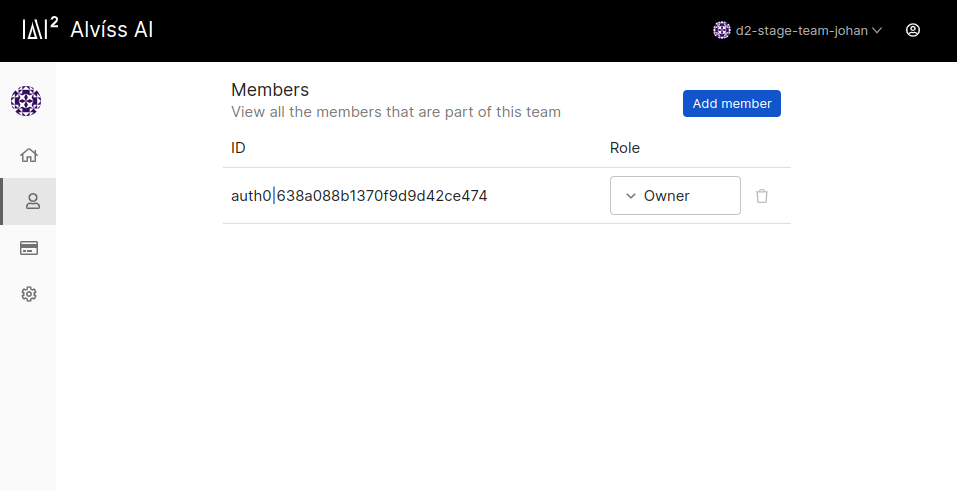
Member Administration
To administer team membership:
- Access Member List: Navigate to the "Team Members" view for an overview of current participants.
- Invite Users: Use the invitation tools to add new members via email or direct links.
- Remove Users: Revoke access for inactive or departing members through the management interface.
Exiting a Team
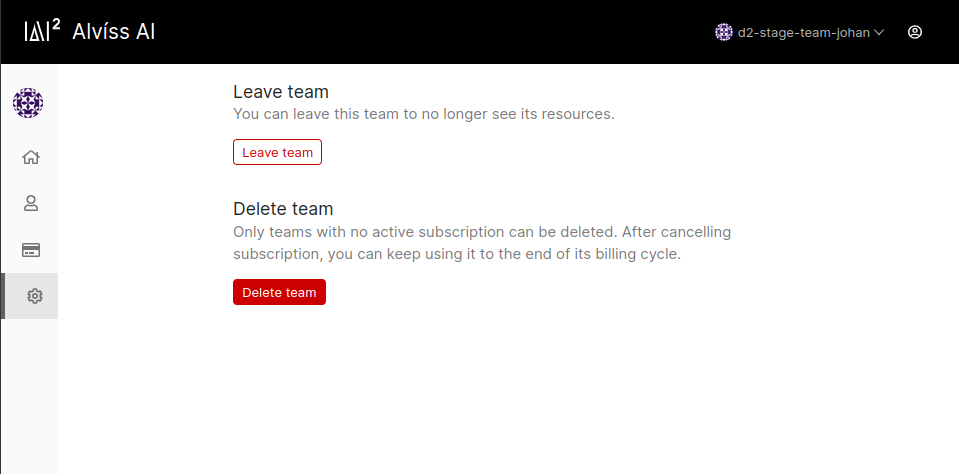
To leave a team:
- Open Settings: Access "Team Settings" from the navigation menu.
- Initiate Exit: Select the "Leave Team" option and confirm.
Team Deletion
To permanently delete a team:
- Open Settings: Access "Team Settings" from the navigation menu.
- Initiate Deletion: Select the "Delete Team" option and confirm, noting that this action is irreversible and removes all associated resources.
For integration with external systems, refer to the API Documentation on team endpoints. See also Projects for managing team-shared workspaces.
Simulations
Compare scenarios against baselines in Alviss AI Simulations to uncover optimal actions and synergies, highlighting differences in KPIs like revenue or churn.
Attributions
Understand attribution in Alviss AI as the process of measuring business components' impact on outcomes like sales via baseline and observed predictions, calculating differences for actionable insights.