Run A Prediction
Run a Prediction in Alviss AI to forecast absolute future outcomes like sales based on modified variables.
With a Dataset created and your first Model built, you're ready to run a Prediction. This tutorial guides you through forecasting sales based on modified media variables. Predictions emphasize absolute forecasts for planning (e.g., total sales projections), differing from Simulations, which focus on comparative differences for "what-if" analysis. If differentials suit your needs better, explore the Simulations tutorial instead.
Prerequisites
- An active project with a Dataset and trained Model.
- Access to the Predictions section (team role-dependent; see Permissions and Roles).
Step 1: Start a New Prediction
Navigate to Predictions in the side menu and click "New Prediction."
Step 2: Configure Basic Settings
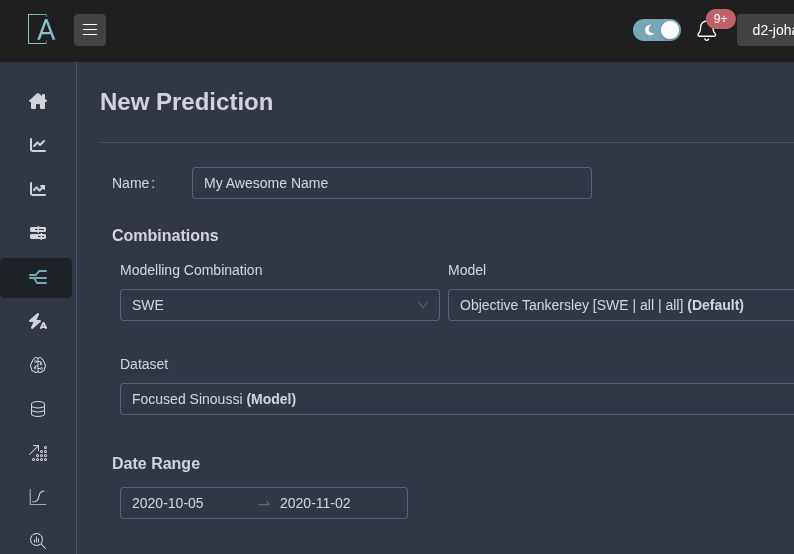
- Name (Optional): Enter a descriptive name, or let Alviss AI generate one.
- Modeling Combination: Select from available options.
- Advanced Options (If Available): Choose a specific model and dataset.
- Date Range: Set the prediction period.
Step 3: Select Variables
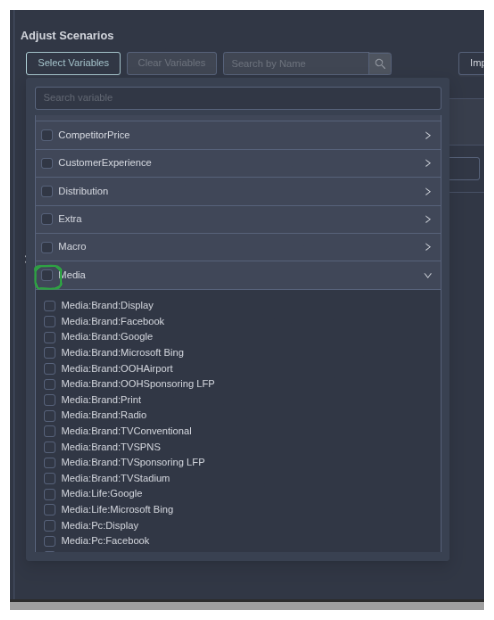
Choose variables to modify (e.g., media channels). Unselected ones use dataset defaults.
For this example, select all media-related variables.
Step 4: Modify the Scenario
Use bulk actions for quick setup, then fine-tune as needed.
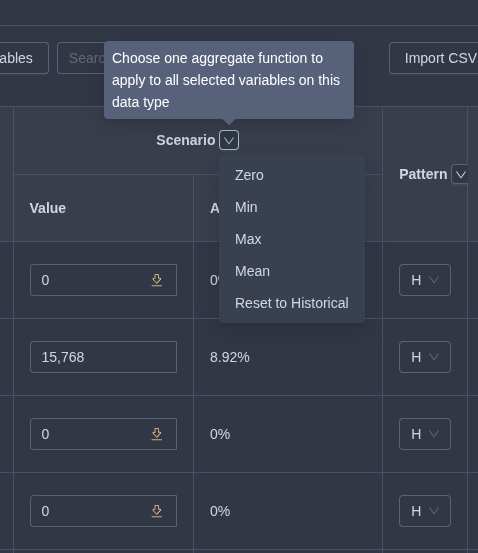
For a full guide on using the interface—including aggregation modes, patterns (Historical, Constant, Custom), scaling (Additive, Multiplicative), bounds controls, and per-time-point edits—see Modifying Scenario and Baseline.
Step 5 (Optional): Additional Scenarios
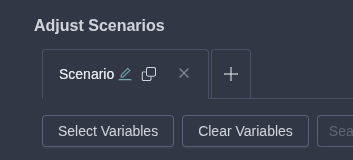
To compare multiple forecasts, copy the current scenario or add a new one and configure from scratch.
Step 6: Run and Review
Click "Create Prediction." It processes in the background.
Once ready, explore results with a tab per scenario:
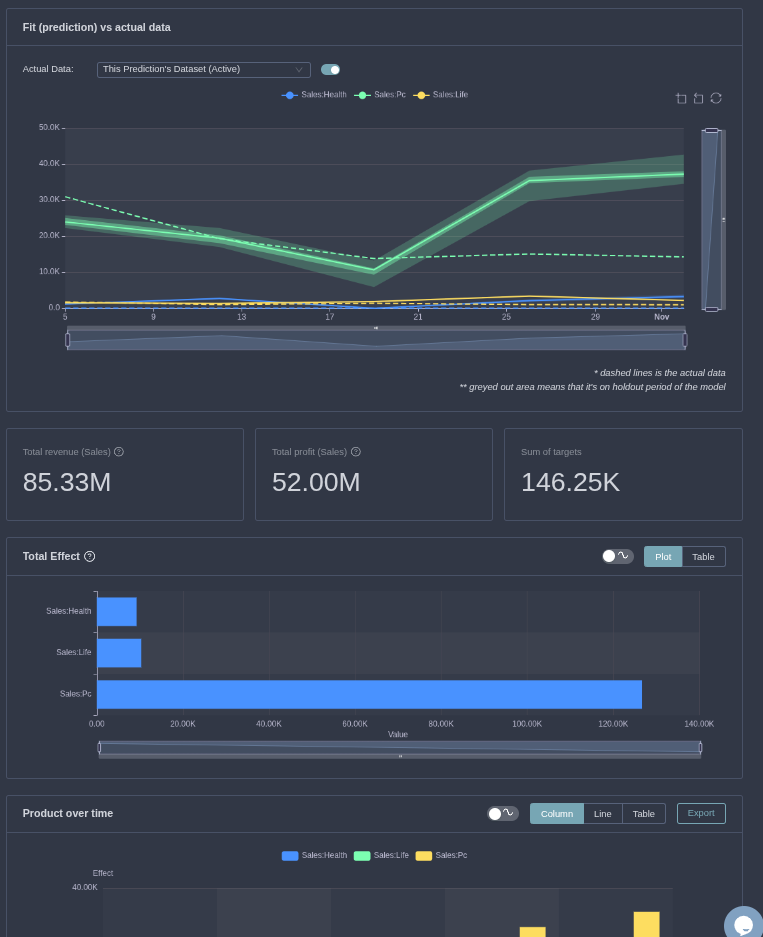
For each:
- Summary Numbers: Key aggregates like total projected sales.
- Visuals: Total Effect, Product Over Time, Cumulative Product.
- Tools: Switch to tables, toggle uncertainty, apply filters.
In this media example, adjust spends to forecast sales under different investment levels. Experiment to uncover insights!
For conceptual details, refer to Predictions. Next, try Optimizations.