Run A Simulation
Run a Simulation in Alviss AI to compare scenarios against a baseline and measure differential impacts like incremental sales from media spend.
With a Dataset created and your first Model built, you're ready to run a Simulation. This tutorial walks through creating one to measure media impact—comparing a "high-spend" scenario against a "no-spend" baseline. Simulations excel at differential analysis (e.g., "How much more sales does Plan A yield vs. Plan B?"), differing from Predictions, which emphasize absolute forecasts for tasks like demand planning.
Prerequisites
- An active project with a Dataset and trained Model.
- Access to the Simulations section (team role-dependent; see Permissions and Roles).
Step 1: Start a New Simulation
Navigate to Simulations in the side menu and click "New Simulation."
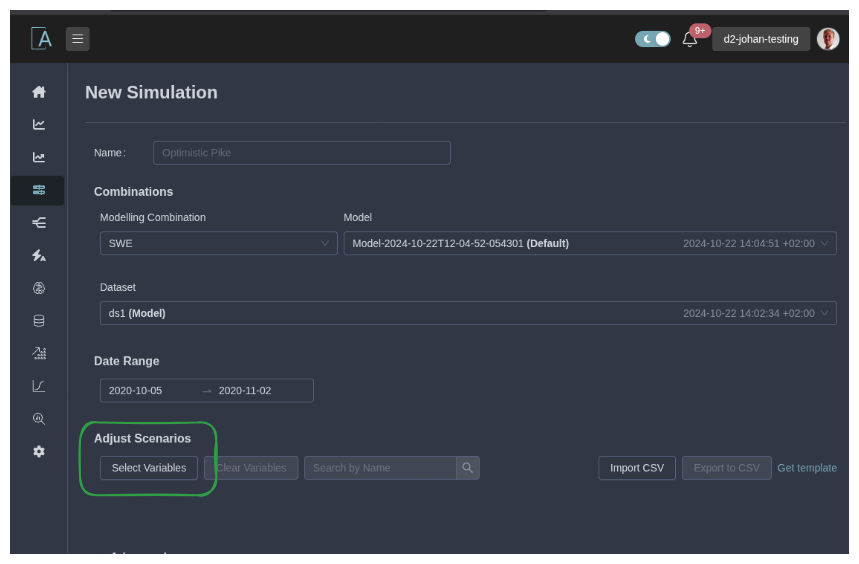
Step 2: Configure Basic Settings
- Name (Optional): Enter a descriptive name, or let Alviss AI generate one.
- Modeling Combination: Select from available options.
- Advanced Options (If Available): Choose a specific model and dataset.
- Date Range: Set the simulation period.
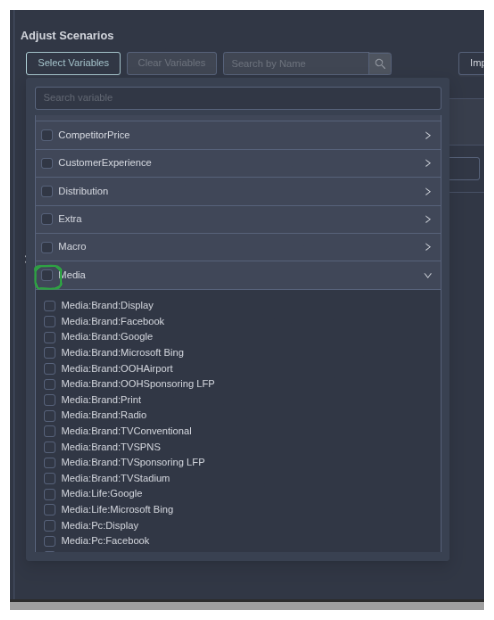
Step 3: Select Variables
Choose variables to modify (e.g., media channels). Unselected ones use dataset defaults.
For this example, select all media-related variables.
Step 4: Modify Scenario and Baseline
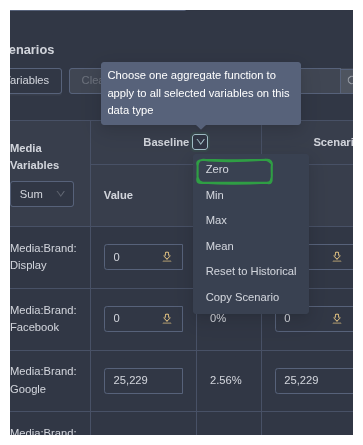
Use the editor to define values:
- For Baseline: Use quick actions to set all to "Zero."
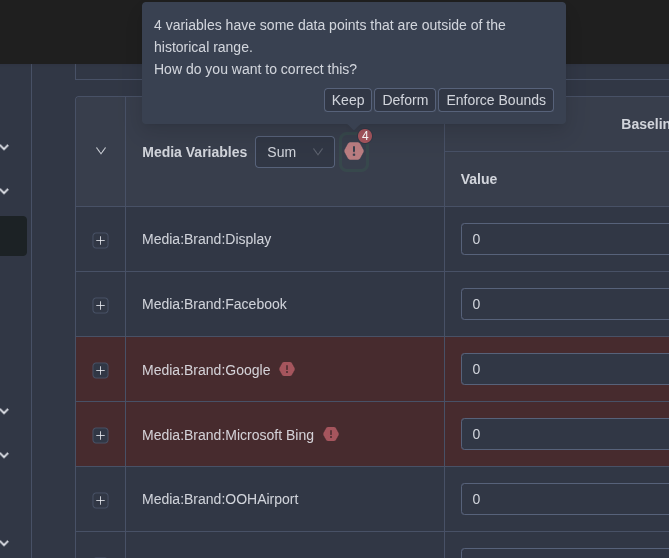
If warnings appear (e.g., for "always-on" channels like search), resolve by:
- Enabling out-of-bounds values.
- Correcting via "Keep," "Deform," or "Enforce Bounds."
- For Scenario: Set to "Max" per time point.
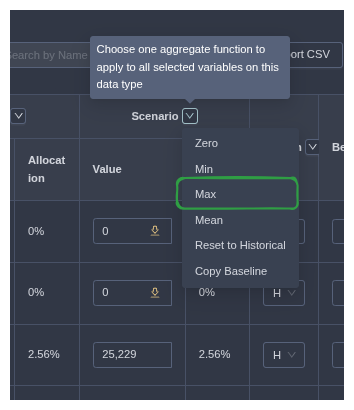
Fine-tune as needed:
- Adjust patterns (Historical, Constant, Custom).
- Scale additively or multiplicatively.
- Drag points on graphs for custom edits.
- Use per-variable buttons to shift by percentage, reset, or load from other periods.
Step 5: Run and Review
Click "Create Simulation." It processes in the background.
Once ready, explore results:
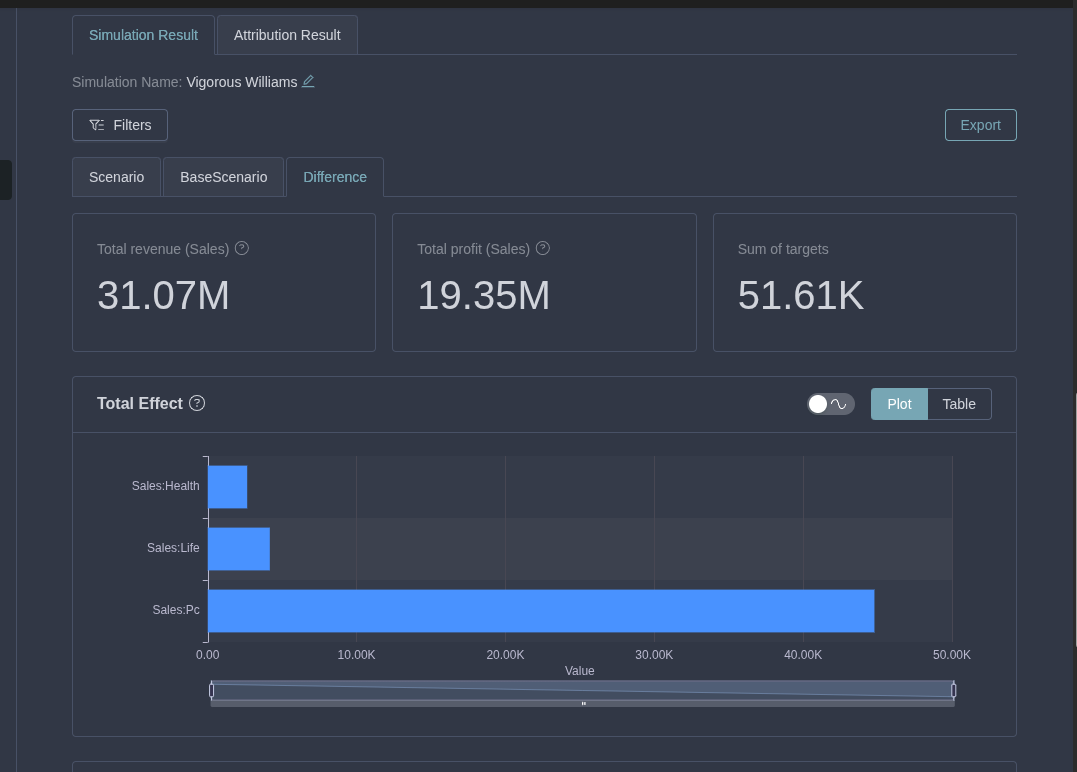
- Tabs: Scenario, Baseline, Difference (Scenario - Baseline).
- Visuals: Total Effect, Product Over Time, Cumulative Product.
- Tools: Switch to tables, toggle uncertainty, apply filters.
In this media impact example, the Difference tab reveals incremental sales from max vs. zero spend. Experiment with variations for deeper insights!
For conceptual details, refer to Simulations. Next, try Optimizations or Predictions.